Every Chewick product, on one page
The app for individuals, the Merchant Portal for businesses, the infrastructure for platforms. One mechanic underneath.
One mechanic underneath everything
Created
A business or a system creates the payment.
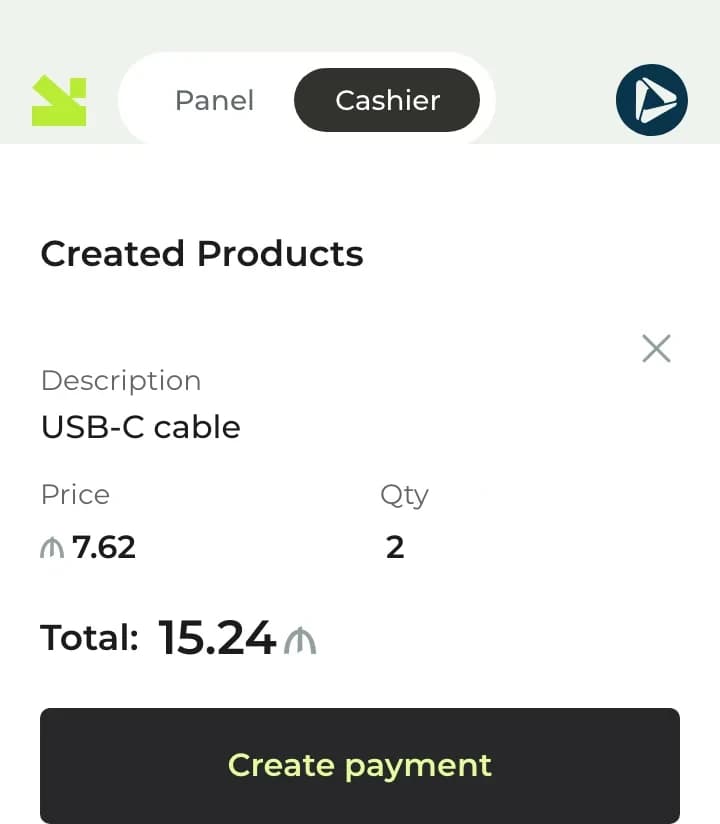
Sent
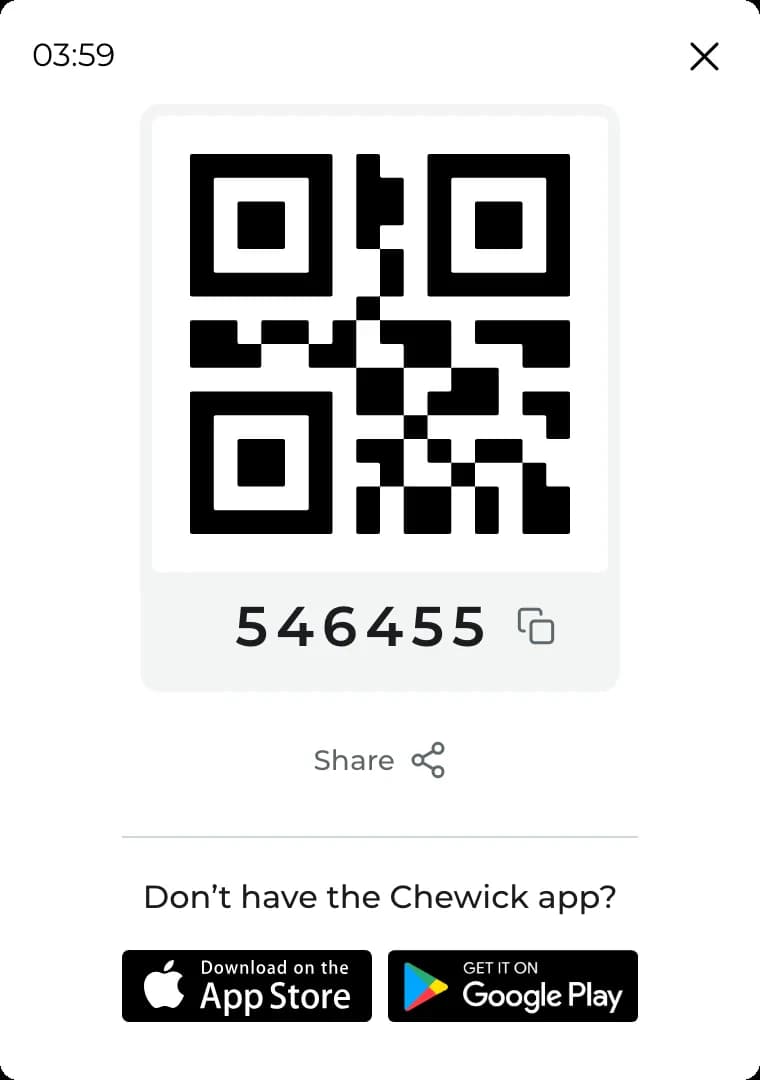
As a QR, a 6‑digit code or a link.
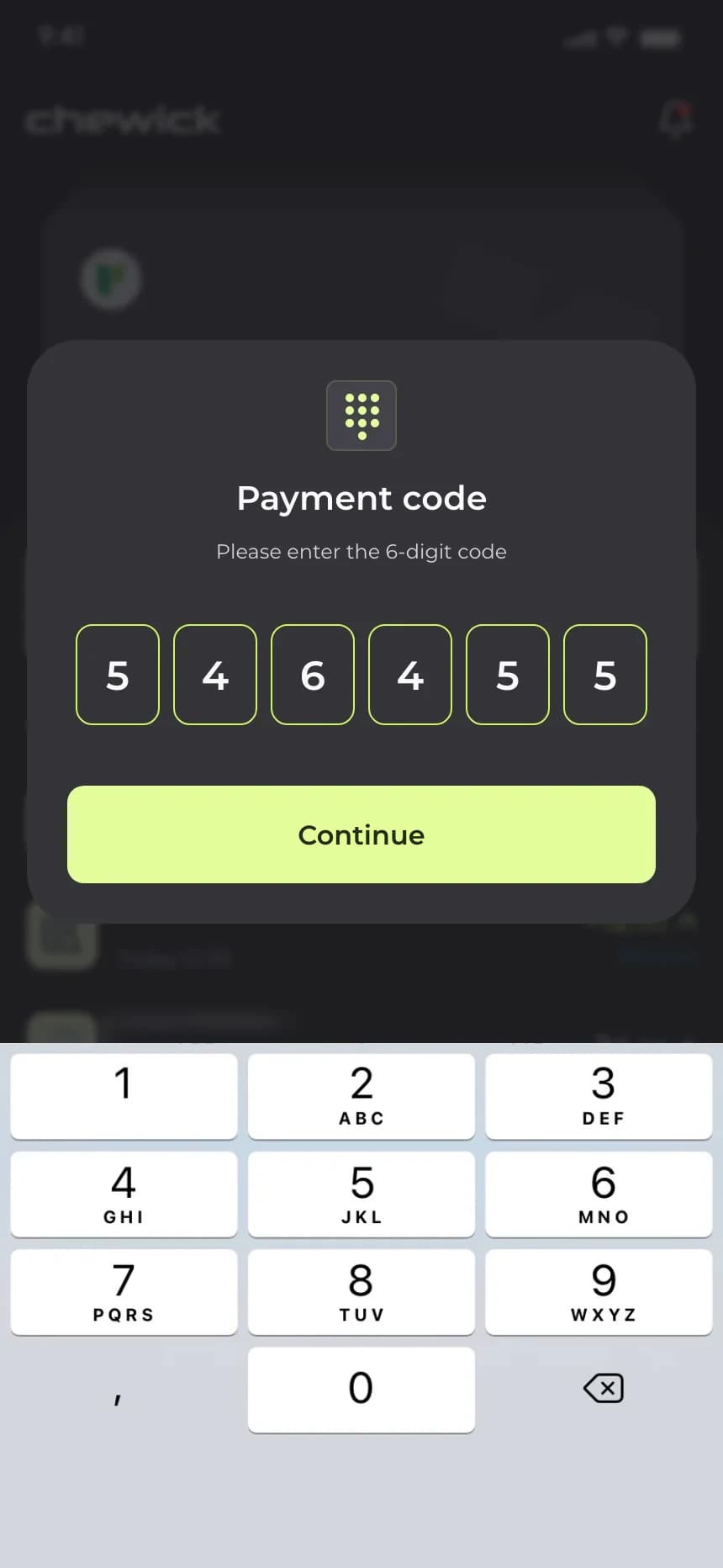
546455Opened
The payer opens it in Chewick, or on the checkout page.
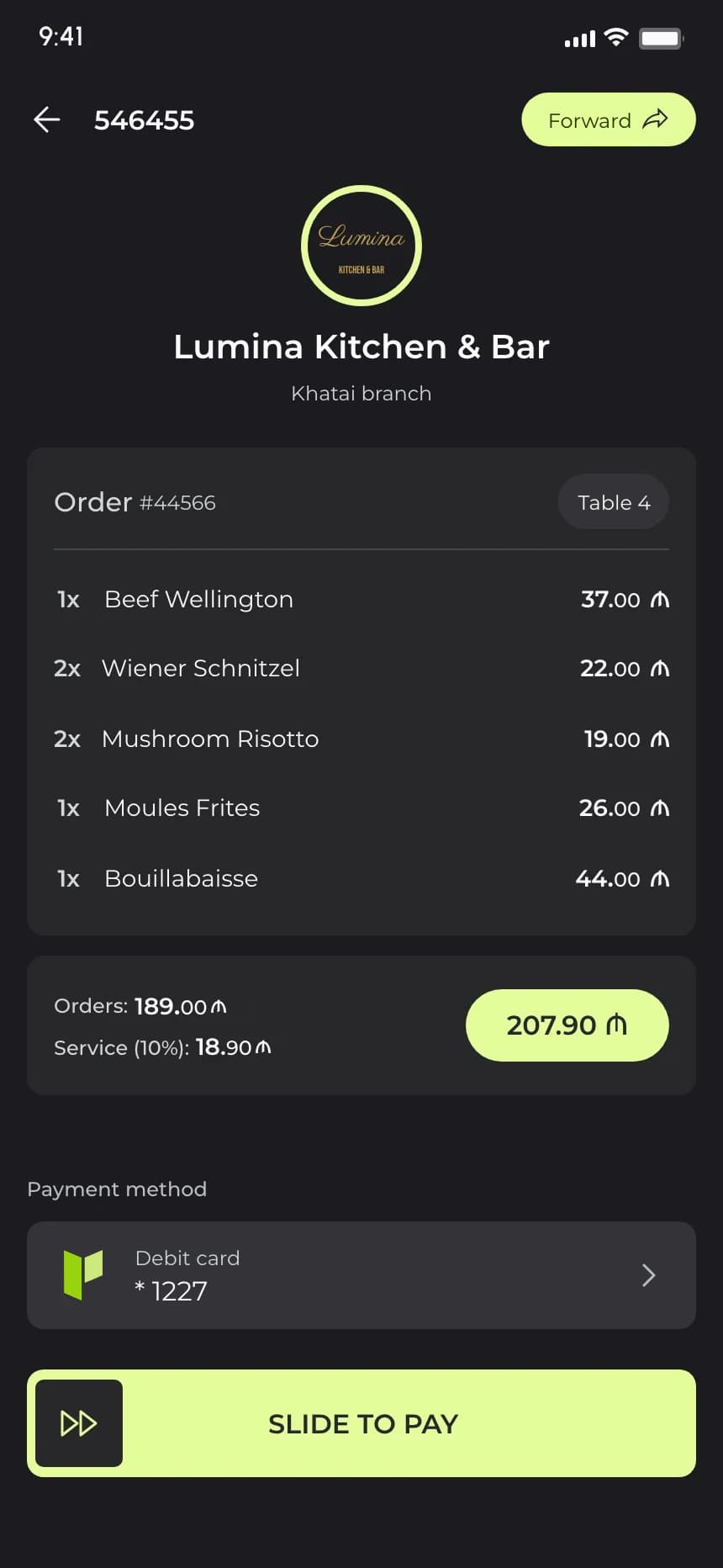
Confirmed
Every detail visible, then one slide to pay.
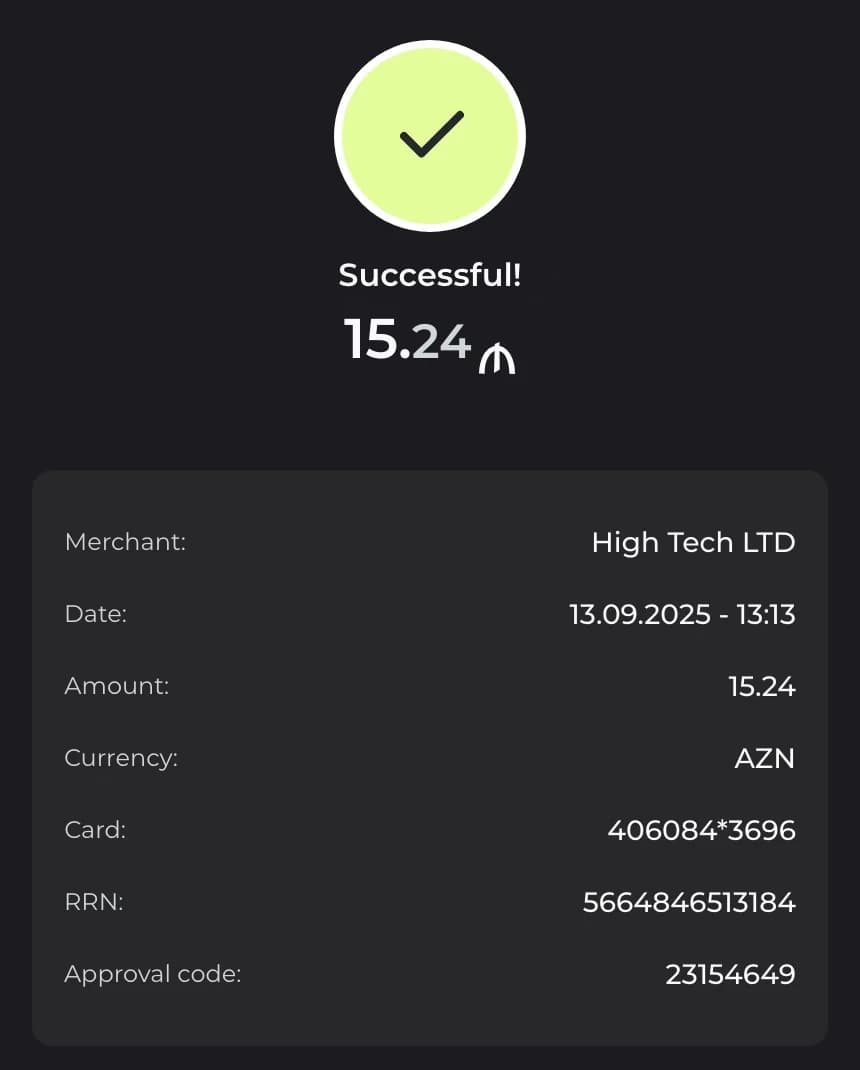
Paid
Status, RRN and approval code on both sides.
For individuals: the Chewick app
Free on iOS and Android. A code, a QR or a link becomes a payment you read before you approve it.
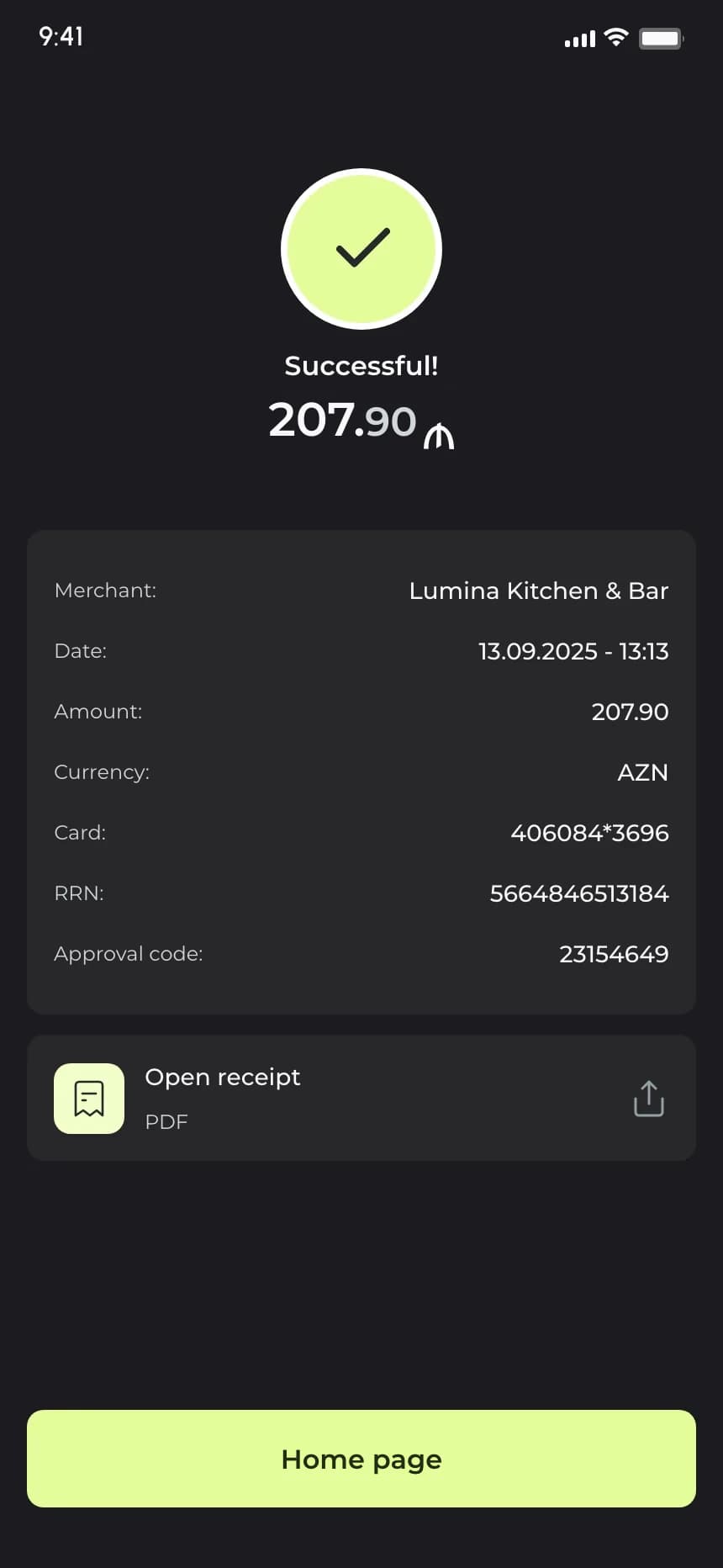
Pay by code and QR
Type the 6‑digit code or scan the QR a business shows you. The payment details open in the app.
Learn more: Pay by code and QRRemote payments and notifications
A payment reaches you as a notification, a link or a code, wherever you are.
Learn more: Remote payments and notificationsSplit Bill
Pay the whole bill, your items, any amount, or an equal share.
Learn more: Split BillPayment forwarding
Send an open payment to another Chewick user by number or ID. They confirm it themselves.
Learn more: Payment forwardingSecurity and control
Card details never reach the business. Nothing is charged until you confirm.
Learn more: Security and controlCards, history and everyday payments
Several cards in one place, a receipt for every payment, mobile and utility payments.
Learn more: Cards, history and everyday payments
For business: one portal, four ways to get paid
Every payment, whichever way it was created, lands in the same Merchant Portal history.
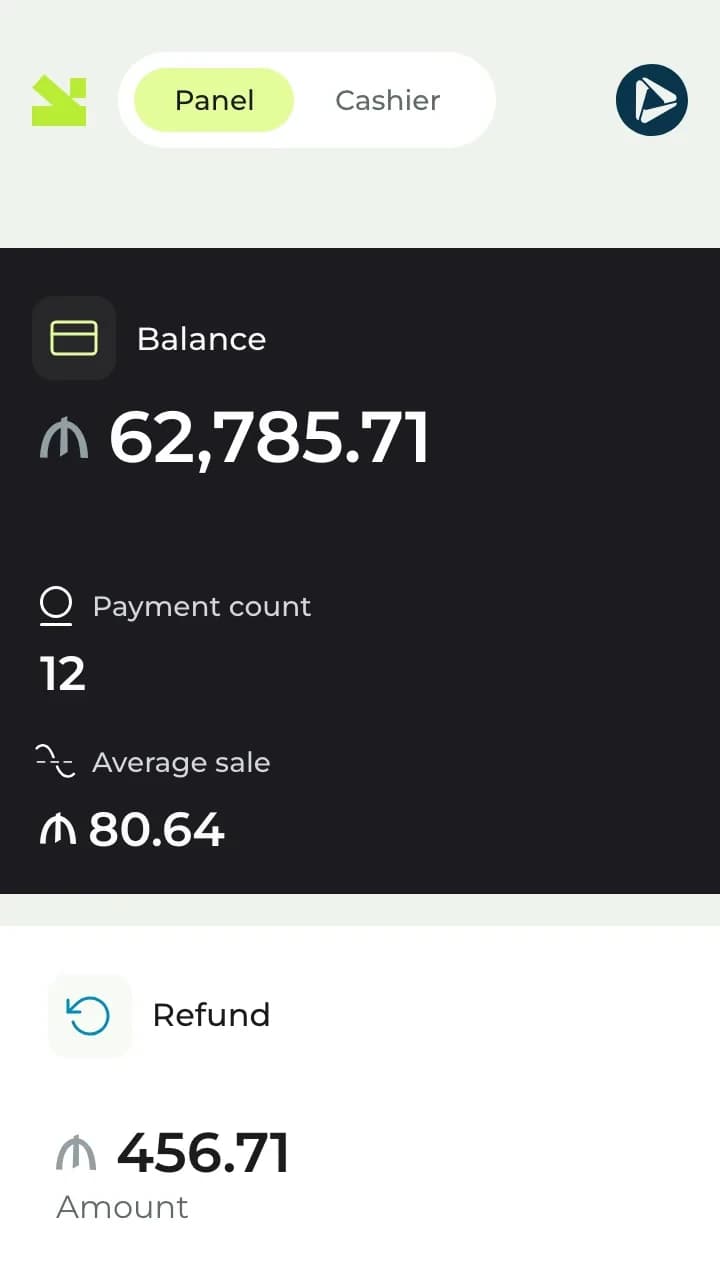 ManagementMerchant PortalBalance, history, reports and refund requests. Admin, Paylink and Cashier roles for the team.Learn more: Merchant Portal
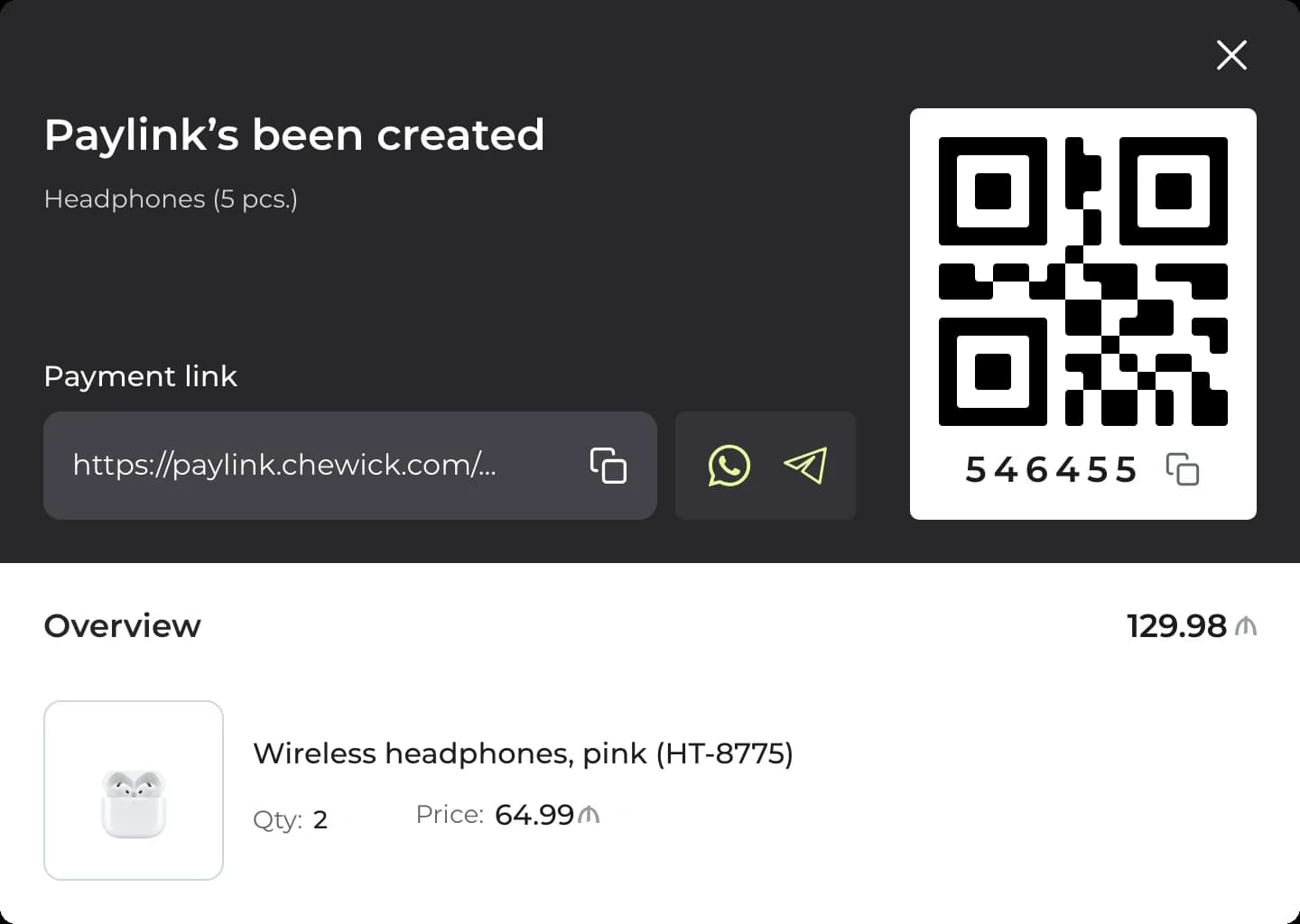 Remote ordersPaylinkOne-time or reusable links with a QR and a 6‑digit code. Templates for repeat products.Learn more: Paylink
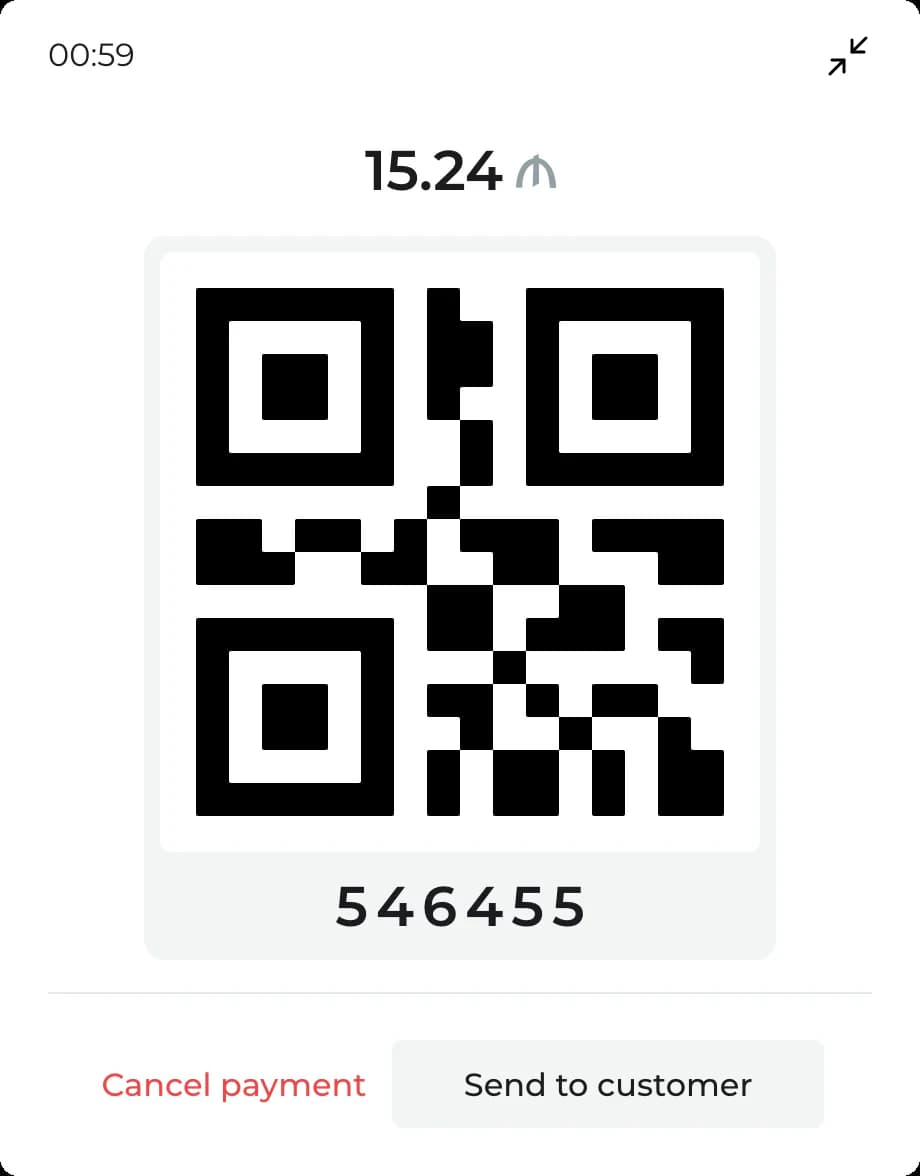 At the counterCashierAdd the items, show the QR and the code, hand over a receipt. Send to customer by ID. No terminal.Learn more: Cashier
 OnlineE-commerce checkoutA payment page for your website or app. Chewick, bank card, Apple Pay or Google Pay.Learn more: E-commerce checkout
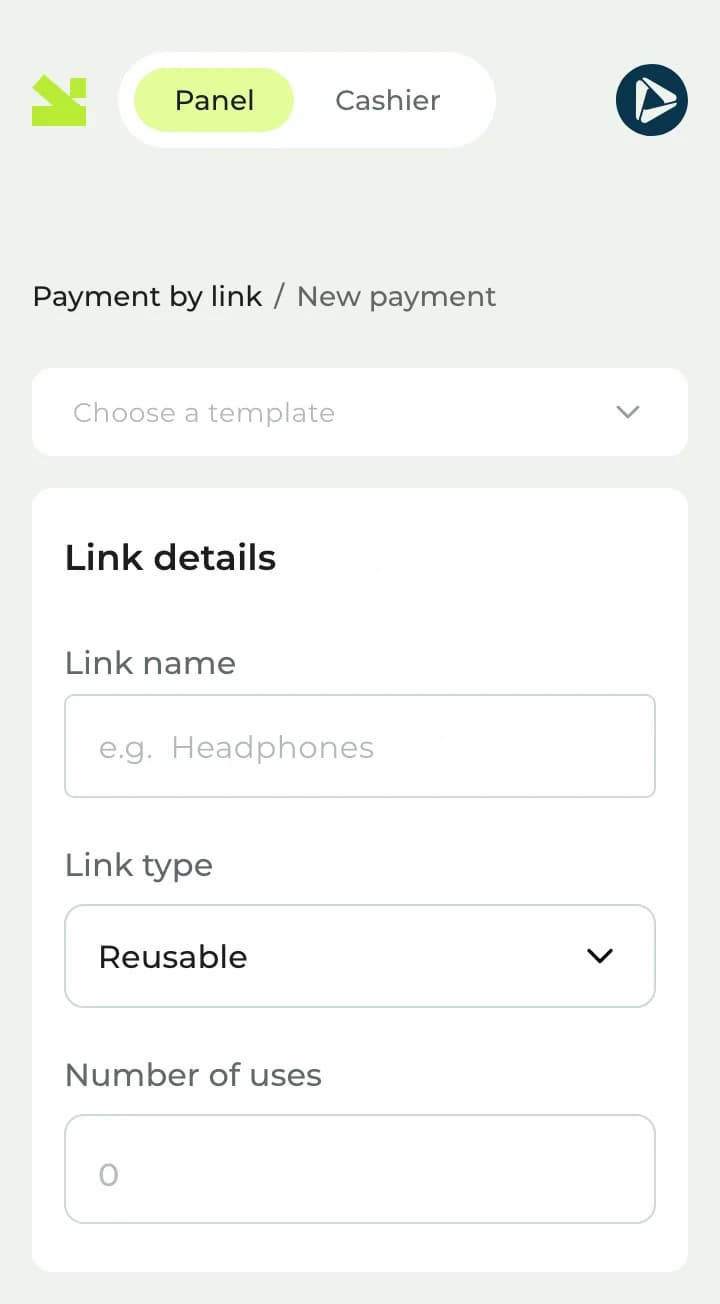
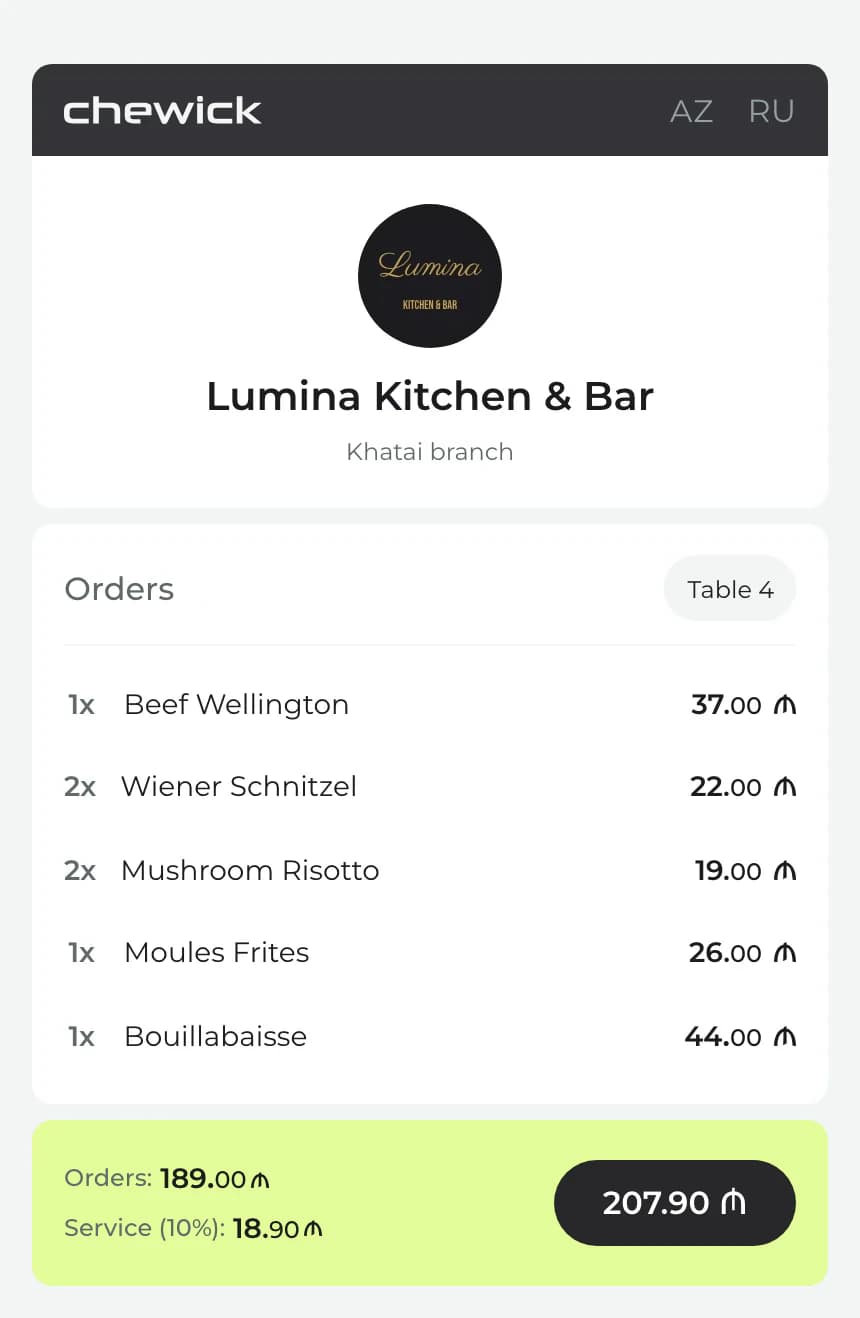
Inside the Merchant Portal
- Admin, Paylink and Cashier roles decide who sees which sections.
- Balance, payment count, average sale, success rate and a payments chart.
- History with RRN, fee, masked card and customer. Receipts on demand.
- Refund requests to the payment provider from the transaction row.
- Monthly PDF reports and export for accounting. Payout timing set in your merchant contract.
- Send to customer: deliver a payment as a notification by customer ID.
Platform: the infrastructure underneath
The same infrastructure that runs Chewick is available to fintechs, marketplaces and enterprises.
Your product
A mobile app, a website, a marketplace or cashier software. Your brand, your users.
- Mobile app
- Website
- Marketplace
- Cashier software
Chewick infrastructure
Payment creation, links, QR and codes, payer confirmation, status and history.
- Links, QR, codes
- Confirmation
- Routing
- Status and reports
Payment provider and banks
Card processing by a licensed payment service provider partner.
Chewick transmits payment requests and maintains the technical integration. Payments are processed by the licensed provider.
Four ways to build on it
Payment infrastructure
What runs underneath every Chewick payment, open to your product.
Learn more: Payment infrastructureWhite-label payments
Payments under your brand inside your app or platform. Chewick runs the backend.
Learn more: White-label paymentsCustom solutions
Payment modules, flows and applications built around your process, including loan repayments.
Learn more: Custom solutionsIntegration and developers
How an integrated payment runs, from creation to the status back in your system.
Learn more: Integration and developers
Payment capabilities, in eight groups
Every operation the infrastructure supports, each explained on the capabilities page.
Card and authorization
- Sale / Charge
- Authorization
- Capture
- Partial capture
- Multiple capture
- Void
- Refund
- Partial refund
Wallet and balance
- Wallet top-up
- Wallet payment
- Auto top-up
Recurring and tokenization
- Recurring / Subscription
- Unscheduled recurring
- Card-on-file / Token
- Zero-amount authorization
- Scheduled payment
- One-click
- MIT
- CIT
Routing, retry and conditional
- Conditional payment
- Fallback payment
- Smart routing
- Retry
- Dynamic amount
Split, group and multi-party
- Split payment
- Multi-seller marketplace
- Installment
- BNPL
- Deposit + final
- Multi-payer
- Split Bill
- Partial payment
- Group payment
Commission, settlement and payout
- Commission
- Seller settlement
- Delayed settlement
- Escrow-like
- Payout
- Bulk payout
Link, QR and remote
- Payment link
- QR payment
- Remote / third-party
- Approval payment
- Request-to-pay
- Invoice payment
- Family payment
- Corporate approval
Other models
- Account-to-account
- Tips
- Donation